How do you turn a Lixel K2 scan into a client-ready inspection report?
The XGRIDS Lixel K2 (~£6,500, $8,999 US list) captures a walkable 3D Gaussian splat plus a survey-grade point cloud in a single pass — 1 cm relative accuracy, 3 cm absolute with its built-in RTK. Export a compressed PLY from LCC Studio, upload it to pin360 as a 3D view, and the scan becomes a working inspection document: pin findings with severity ratings directly onto the 3D scene, take real-metre measurements with two clicks, generate a professional report, and share the whole scan with a client through one read-only link — no software install on their end. Total time from finishing the walk to sending the report link is typically under 30 minutes, most of which is LCC Studio processing.
The problem: everyone shows the scan, nobody shows the deliverable
If you are researching the Lixel K2 right now, you have probably noticed the same thing an architecture studio recently posted on r/GaussianSplatting while seeking purchase approval: there are plenty of promotional videos, and very little evidence of the scanner used on a real project with a real deliverable at the end. The unboxings stop at “look at the pretty splat in the viewer.” But whether you are an architect documenting existing conditions, an engineer inspecting a structure, or a contractor recording progress, your client does not pay for a pretty splat. They pay for findings, measurements, and a record they can act on.
This post covers the part after the scan: the full workflow from K2 capture to a shareable, client-ready inspection record — with real numbers from a residential survey scan (46 files, 111 MB, ~9 million splats).
What the K2 actually gives you
The K2 is a 1.2 kg handheld SLAM scanner with a 360° LiDAR, two fisheye cameras and a forward-facing camera, and — unusually at this price — a built-in UM980 RTK module as standard. In practice that means three things for survey work:
- Metric output with no calibration. The scan's coordinate units are real metres (1 cm relative RMSE). Any measurement you take downstream is a true dimension, not a scaled guess.
- Two deliverables from one walk. A photorealistic 3D Gaussian splat for navigation and communication, and a survey-usable point cloud for accuracy-critical checks — simultaneously.
- Optional georeferencing. With RTK fix active outdoors, the scan exports with absolute WGS84 coordinates — the EPSG code travels in the LCC2 manifest. Indoors without fix, you still get a metric local frame (the manifest reads
epsg: 0).
The June 2026 LCC Studio v1.12 update matters here too: the new .lcc2 format uses SOG/SPZ compressed tiles with level-of-detail streaming, so a scan of hundreds of millions of Gaussians loads progressively instead of as one enormous file. Keep that native LCC2 scene as your XGRIDS archive; for pin360's current self-serve uploader, export the inspection model as a compressed PLY.
The workflow: scan to report in five steps
- Scan the site (10–20 minutes). Walk the building at a steady pace with the K2. A typical house takes one loop inside and one outside; overlap your start and end points so SLAM closes the loop.
- Process in LCC Studio. Import the capture; Multi-SLAM alignment, 3DGS reconstruction and colour grading run automatically. Keep the native LCC2 scene for XGRIDS/LCC Studio review, then export a compressed PLY for pin360's self-serve 3D Scan upload.
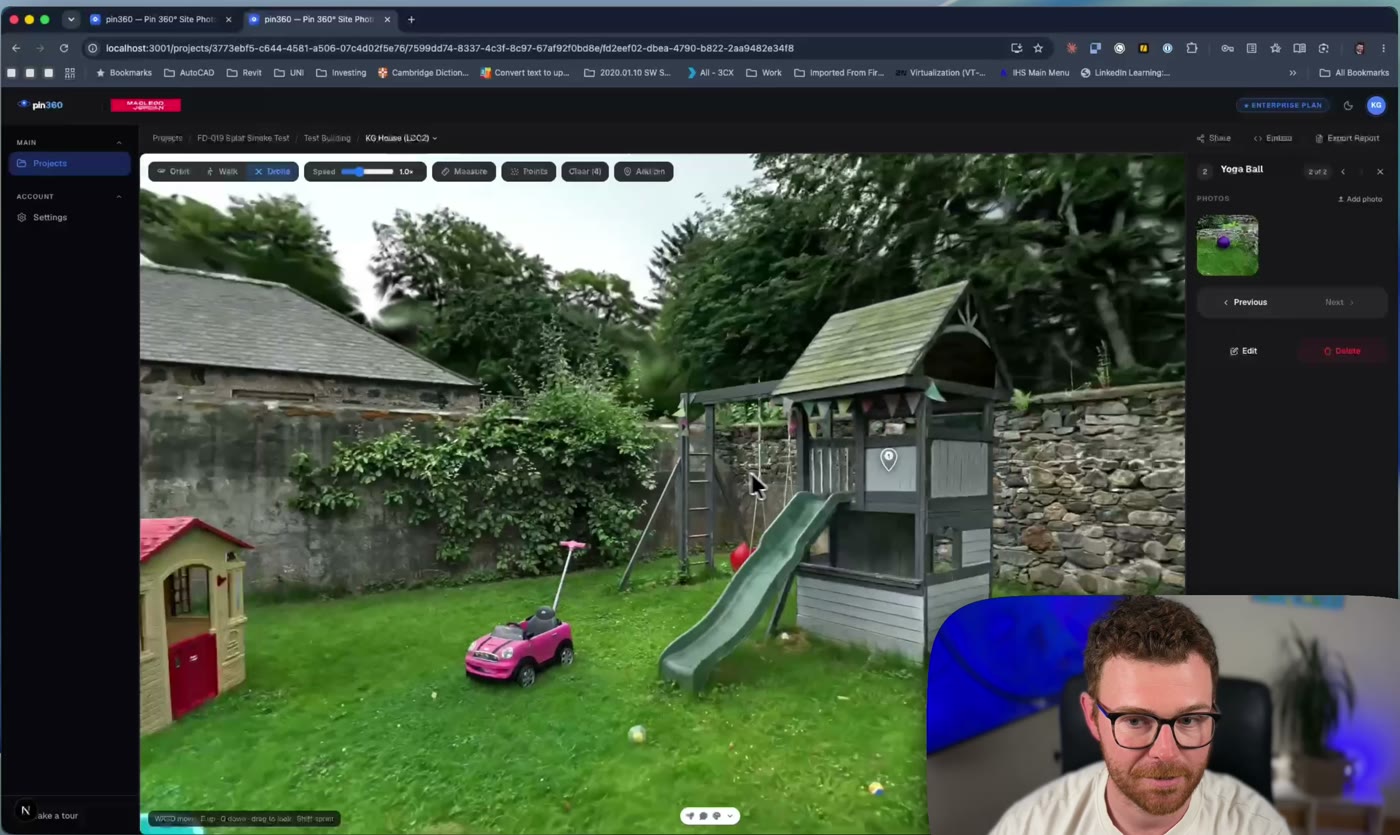
- Upload to pin360 as a 3D Scan view. It sits alongside your PDF floor plans and site maps in the same project — same markers, same sidebar, same reporting.
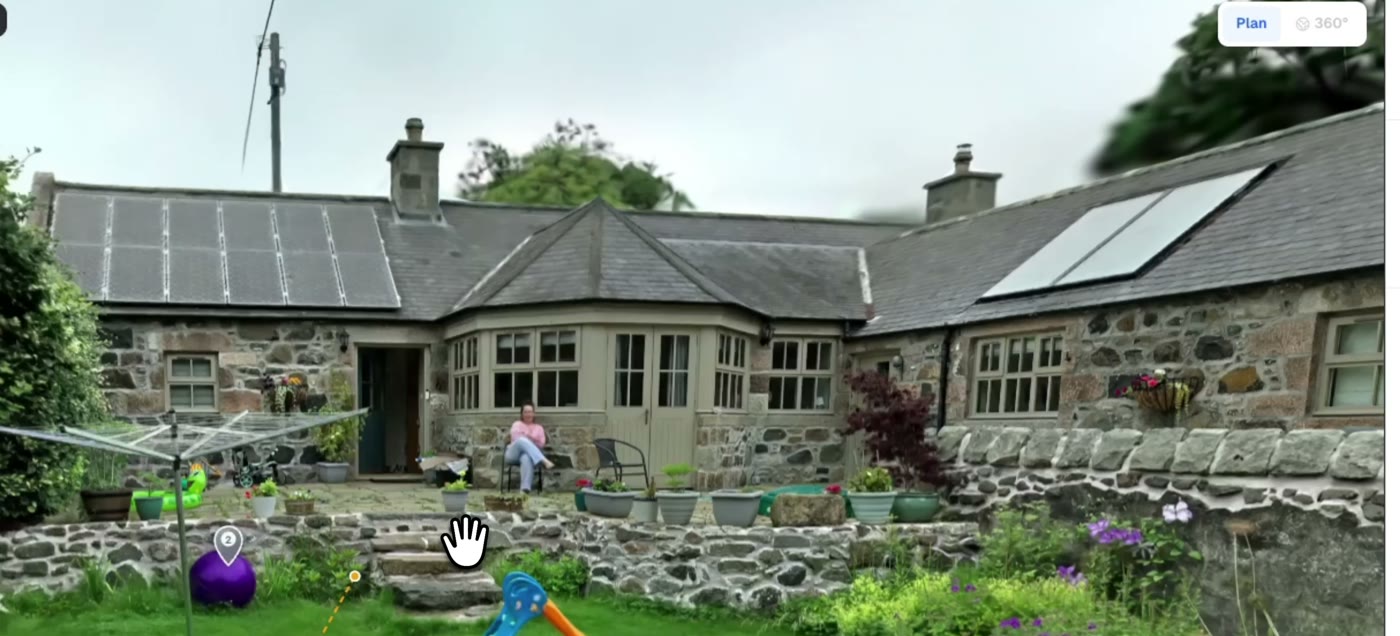
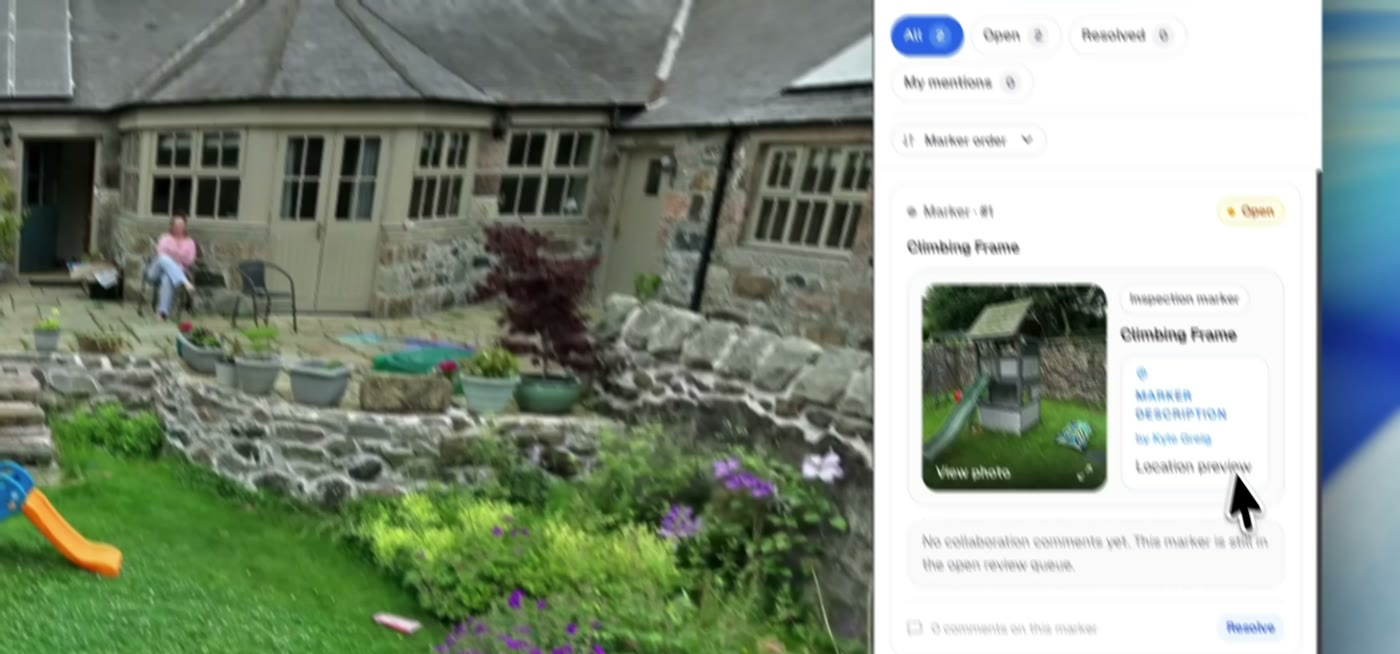
- Inspect in the browser. Walk the scan in first-person or fly it drone-style. Pin inspection findings with severity ratings directly on the 3D geometry — each pin stores its true 3D position and your camera angle, so clicking it later flies anyone back to the exact viewpoint. Two-click measurements read in real metres (±3 cm on splat surfaces).
- Report and share. Findings flow into the same inspection report as your floor-plan markers — severity table, photos, locations. The client gets one link: the full walkable scan, read-only, with your branding, in any browser. No account, no plugin, no 500 MB download.
Honest limitations to plan around
- Splat measurement precision is roughly ±3 cm — the raycast lands on the fuzzy splat surface, not the underlying point cloud. Fine for “is that opening 860 mm or 900 mm”, not for fabrication tolerances.
- Reflective and glazed surfaces produce thin splat coverage, same as every LiDAR-SLAM scanner in this class.
- RTK georeferencing needs sky view. Indoor-only scans come out metric but unreferenced — plan a doorway loop outside if you need world coordinates.
The economics: why small practices can suddenly justify this
The number that changes the conversation is not the hardware price — it is the software model. XGRIDS ships LixelStudio and LCC Studio as perpetual licences bundled with the scanner, not annual subscriptions. Your cost is ~£6,500, once. Compare the incumbent options a small architectural or engineering practice actually faces:
- Terrestrial laser scanning: £25,000+ for the scanner, plus registration software on annual per-seat licences that often exceed the K2's entire price every couple of years — before you have scanned anything.
- Outsourced scan-to-BIM: hundreds to thousands of pounds per survey, a turnaround measured in weeks, and the data lives in someone else's pipeline.
- Tape measure and disto: “free”, until you cost a two-person day on site, the return visit for the dimension nobody wrote down, and the transcription errors that surface at design stage.
At one measured-survey fee saved per month, a K2 pays for itself inside a year — and every scan after that captures everything, not just the dimensions someone thought to measure on the day. The scan comes back to the office as a complete, walkable, measurable record: no “we'll check on the next visit”, no re-surveying because the brief changed. For existing-conditions work, that is the tedium the K2 actually eliminates.
Where this fits against Matterport
Matterport remains a fine real-estate tour tool, but it is camera-locked, priced per tour at scale, and its deliverable is the tour itself. The K2 + pin360 combination is survey-first: LiDAR-metric geometry you can measure and georeference, findings with severity classifications, and a report your client recognises as engineering documentation rather than marketing. If your deliverable is a condition survey, this stack replaces a scanner hire, a tour subscription, and a separate reporting tool.
If you like the output but do not want to buy a scanner to get it, you do not have to. Practices that only need the occasional capture can have pin360 arrange a digital site record instead: a surveyor scans the site and delivers it as the same walkable, measurable browser link described above, with no hardware to own or maintain.
3D scan views are available on the pin360 Pro plan (£564/year charged annually with 250 GB storage). Try the live 3D demo on the homepage to walk a scan before you buy anything.